
Short answer
Bilty book vs bilty software
| Bilty book | BiltyOne | |
|---|---|---|
| Making one bilty | 20+ fields by hand, about 15 minutes | About 2 minutes; regular parties fill in |
| Bilty number | The next page in the book | Automatic, never repeated |
| Bhada (freight) | Worked out on a calculator | Rate × quantity, calculated as you type |
| Three copies | Carbon paper, often smudged | Clean print on any printer |
| Finding an old bilty | Search stacks of old books | Search by number, party, vehicle or city |
| Rain, fire or a lost book | Records gone for good | Stored online, with an Excel backup any time |
Your first bilty in BiltyOne
- Sign up free and add your company name, GSTIN, address and logo. They print on every bilty.
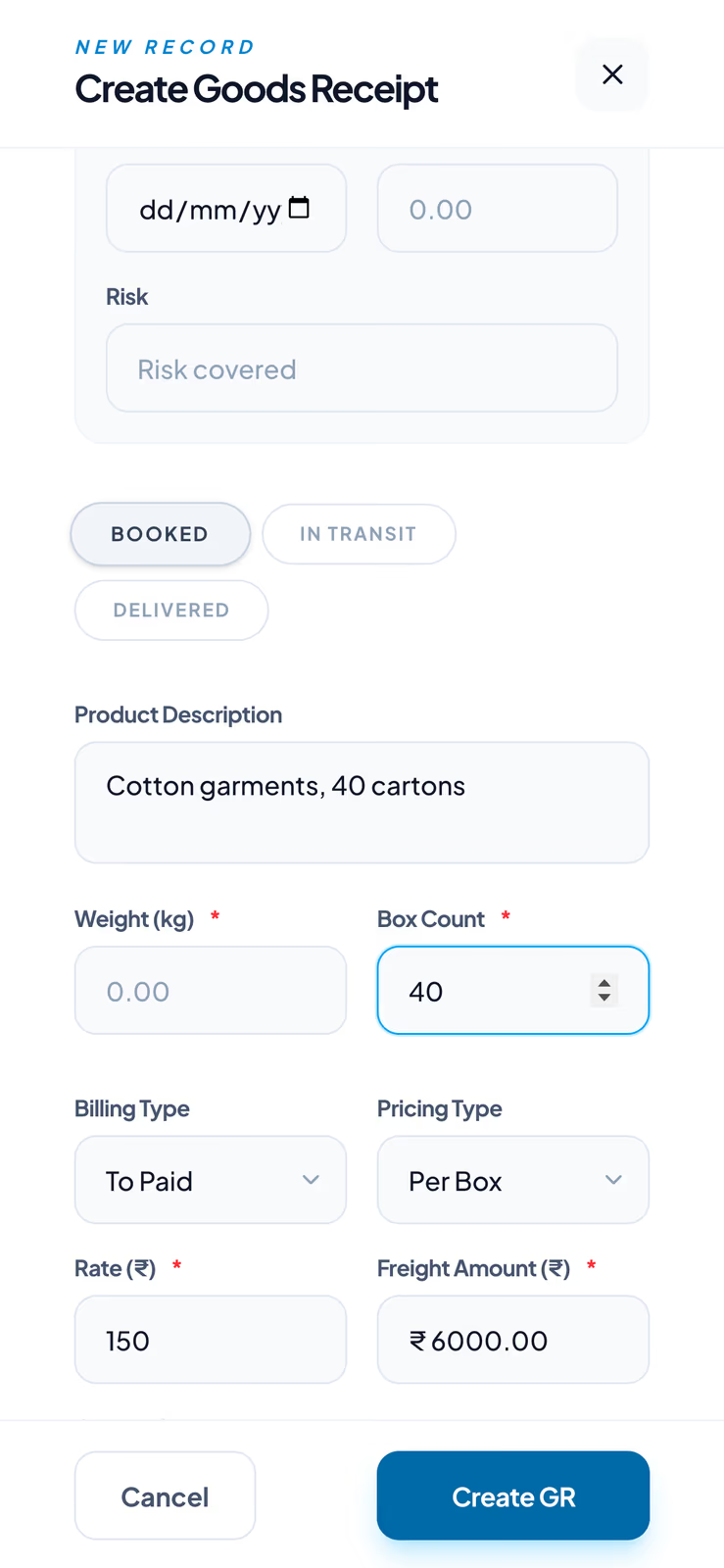
- Open the GR tab and tap New Receipt. In BiltyOne a bilty is called a GR; it is the same document.
- Pick the party (consignor) or type a new one, then add the consignee and the from and to city.
- Enter the maal, the weight or number of boxes, and the rate. The bhada is calculated for you.
- Choose who pays: Paid, To Pay or To Be Billed. Add the gaadi (vehicle) number and driver if you have them.
- Save and print the driver, consignor and consignee copies.
New to the word or the fields? What is a bilty explains every field and copy.
To pay, paid and TBB bilty
- Paid: the consignor paid the bhada at booking; a PAID badge prints.
- To Pay: the consignee pays on delivery; a TO PAY badge prints so the driver knows to collect.
- To Be Billed (TBB): the bhada goes on the customer’s monthly bill; see transport billing software.
Bilty on your phone
BiltyOne runs in the browser on any Android phone or iPhone, so you can make a bilty at the godown, the yard or on the road, with nothing to install. In your phone’s browser menu, choose “Add to Home screen” and BiltyOne opens like an app. The office PC sees the same bilty straight away.
When the internet goes
If your office loses internet often, install BiltyOne Desktop on a Windows 10 or 11 PC. After a one-time activation it makes, prints and searches bilty with no internet at all, and keeps a backup on your computer.
Help in Hindi
Support is available in Hindi and English, by email, the contact form or WhatsApp. If you have never used software before, we will help you set up your company details and regular parties and print your first bilty together.