
Short answer
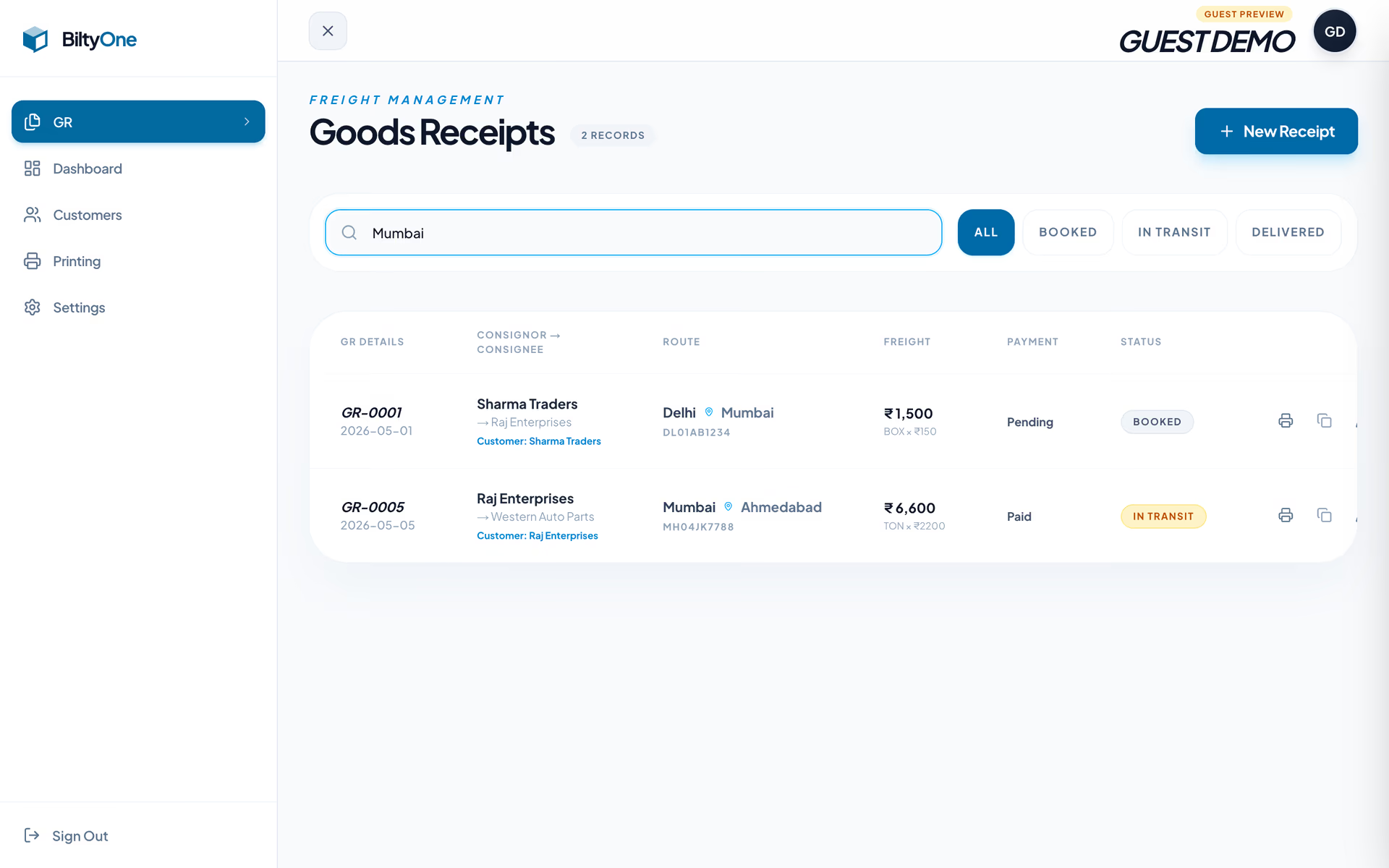
A day at the LR counter
A booking counter faces a queue of senders, many small consignments and a phone that keeps ringing. Here is where LR software changes the day:
| Counter job | Paper LR book | BiltyOne |
|---|---|---|
| Booking a regular sender | Write their name, phone and GSTIN again | Pick their name; details and rate fill in |
| Pricing a parcel | Look up the rate, multiply by cartons | Box count × rate, calculated as you type |
| Copies for sender, receiver and truck | Carbon copies | One PDF with three copies, any printer |
| “Where is my parcel?” | Search the book page by page | Search by LR number, party, vehicle or city |
| End-of-day register | Copy LRs into a register | Every LR is already in the list and the Excel backup |
Per-box pricing for parcels
Parcel and part-load counters usually charge per carton. Choose Per Box as the pricing type and BiltyOne multiplies the box count by the rate; the weight can stay empty. Save each regular sender with their pricing type and default rate, and every LR for them is priced the same way without anyone looking up a rate card. Full loads can still be priced per KM, kg, quintal or ton on the same system.
Finding an LR when a customer calls
Type the start of an LR number, the sender or receiver, the vehicle number or a city into the search box. Matching LRs appear with their route, vehicle, freight, payment and status, and the Booked, In Transit and Delivered buttons narrow the list further. Anyone at the counter can answer the call, not just the person who booked the load.
Repeat senders and repeat loads
- Repeat senders are picked from the customer list; a new sender entered with phone, GSTIN and address is saved automatically when the LR is created.
- Repeat loads are one click: the copy icon makes a new LR with the next number, today’s date and status Booked.
Your LR register, without the register
There is no separate register to keep. Every LR stays in the list, newest first, and the dashboard shows how many were booked today. From Settings you can download every LR as one Excel workbook at any time, which works as your register and your backup. At month end, account customers’ LRs become one freight bill; see transport billing software.
Who uses BiltyOne as LR software
- Parcel booking offices issuing many small LRs a day.
- Part-load services combining several senders’ goods on one truck.
- Transport agents and brokers booking loads on hired vehicles.
- Transporters in regions where “LR” is the everyday name for the document; in north India the same paper is usually called a GR or bilty.
Every field on the printed LR is listed on the lorry receipt software page.