
Short answer
What is transport ERP software?
ERP stands for enterprise resource planning: one software system that connects every department of a business through a shared database. A transport ERP applies this to a transport company, so a GR created at the booking desk automatically feeds the customer’s ledger, the vehicle’s trip history, the driver’s records and the monthly profit-and-loss.
That connection is powerful, but it comes at a price: more modules to configure, more data to enter, more staff to train, and usually a licence, an implementation project and yearly support fees.
Typical transport ERP modules
- Operations: bookings, GR/LR, loading and unloading, delivery and POD. (This is the part a TMS covers.)
- Billing and accounts: freight bills, ledgers, receivables and payables, GST.
- Fleet management: vehicle documents and renewals, maintenance, tyres, fuel and mileage.
- Driver and HR: driver records, trip advances, salaries and payroll.
- Inventory: spare parts and stores for the workshop.
- Tracking and reports: GPS integration, MIS and management dashboards.
Transport ERP vs TMS compared
| Transport ERP | Focused TMS (e.g. BiltyOne) | |
|---|---|---|
| Scope | Whole company: operations, accounts, fleet, HR, stock | Transport operations: GRs, customers, status, freight billing |
| Typical user | Large fleets with several departments | Small and mid-size transporters, agents, booking offices |
| Setup | Weeks to months, often with a consultant | Hours; import old GRs from Excel |
| Training | Per module, often formal | About a day for most staff |
| Cost | Licence, implementation, per-user and support fees | Low; BiltyOne is free for early transporters |
| Accounting | Built in | Excel export to your existing accounting |
| Risk if it goes wrong | High: the whole business depends on it | Low: easy to start, easy to export and leave |
| Time to first GR | After implementation | The same day |
Who needs a transport ERP
A full ERP usually makes sense when most of these are true:
- You run a large owned fleet with your own workshop and spare-parts store.
- Many drivers are on payroll, with trip advances to settle.
- Your accounts are kept in-house by a team, not by an outside CA.
- Several branches need one consolidated view of the business.
- You have the budget and the people to run a months-long implementation.
Who is better off with a TMS
A focused transport management system is usually the better first step if:
- You have roughly 1 to 50 trucks, or you book loads on hired vehicles.
- Your biggest daily pain is writing GRs, finding old ones and billing customers.
- An outside CA or existing accounting software already handles your books.
- Your staff are not used to software and need something they can learn in a day.
- You want to see results this week, not after an implementation project.
Many transporters start here and add more later. See the transport software for small business page for what a lean setup looks like.
Questions to ask any ERP vendor
- What is the total cost for three years: licence, implementation, per-user fees, support and upgrades?
- How long until my staff create GRs in the system, and who trains them?
- Can I see the GR/LR print with my own letterhead before I buy?
- Which modules can I switch off if I do not need them?
- Can I export all my data to Excel myself, at any time, without paying?
- Does it work when our internet is down?
- Who do I call when something breaks, and how fast do they respond?
Where BiltyOne fits
What BiltyOne covers
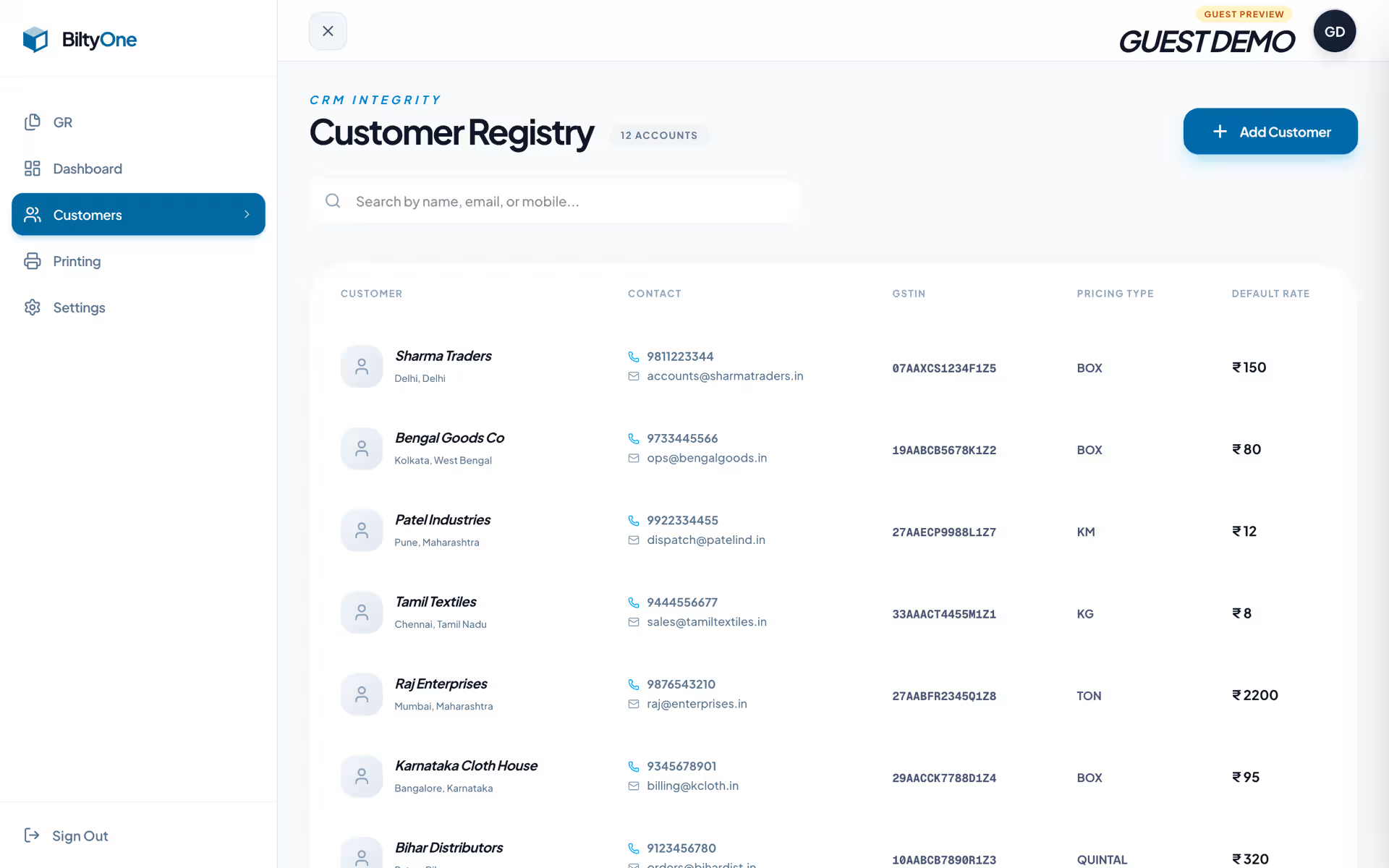
BiltyOne is the operations core of a transport business: GR/LR creation with automatic numbers and freight, three-copy printing with your branding, a customer directory, booking and payment status, customer freight statements, Excel import and backup, a dashboard, and an offline Windows app.
What it leaves to other tools
Accounting and GST returns, payroll, fleet maintenance and GPS tracking. Its one-click Excel backup gives your accountant every GR, so BiltyOne fits alongside the tools you already use. Read the transport management system guide or the full feature list to see if it covers what you need.