
Short answer
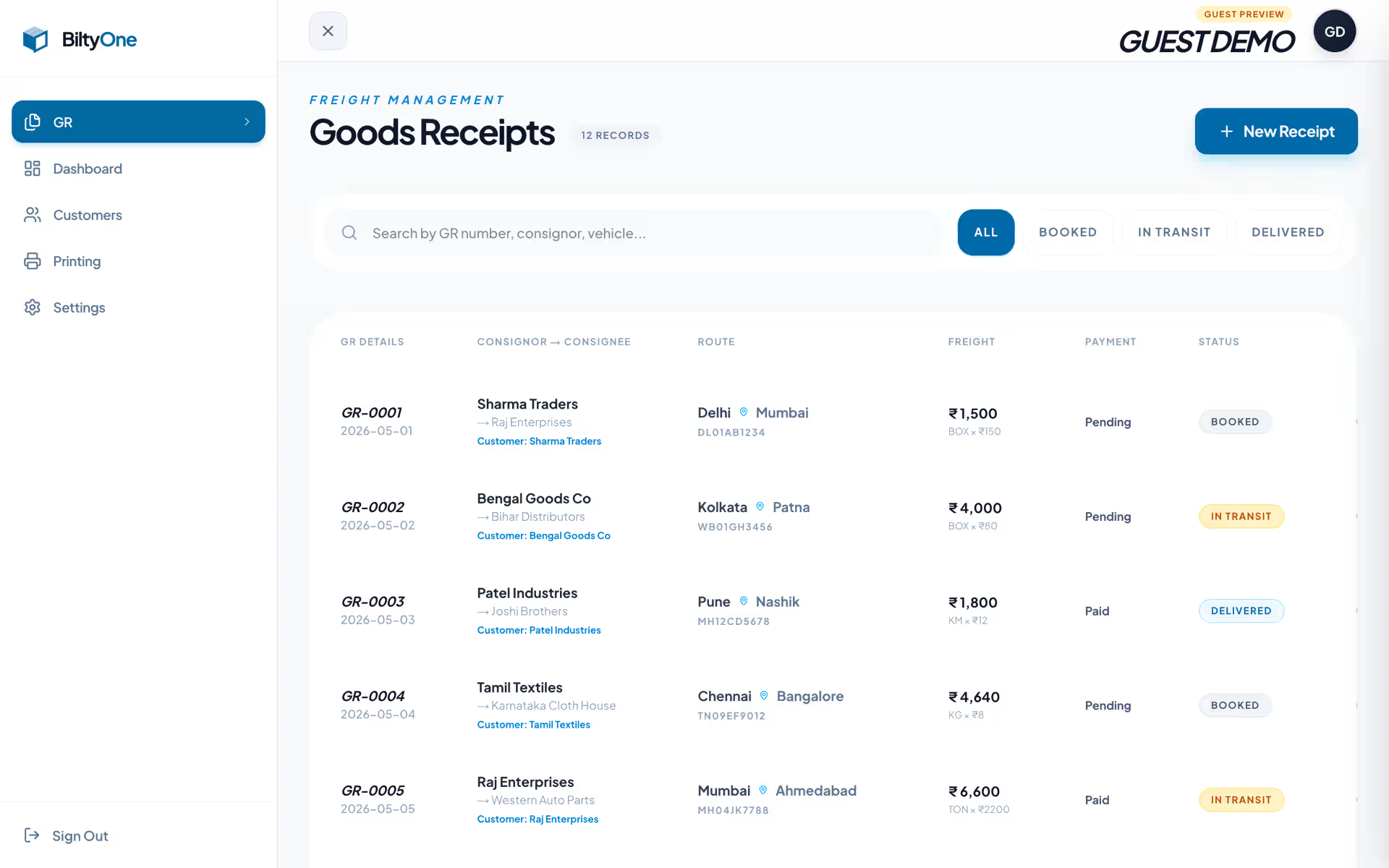
The GR life cycle in BiltyOne
- Create. Pick the consignor, enter route, goods and rate. The GR number and freight fill in (see GR software).
- Print. Three A5 copies (driver, consignor, consignee) in one PDF.
- Dispatch. Record the vehicle, driver, invoice and e-way bill numbers.
- Track. Update the status from Booked to In Transit to Delivered.
- Get paid. Mark the payment Paid when the freight arrives.
- Bill and archive. Include it in the customer’s statement; it stays searchable for good.
Statuses at a glance
| Field | Values | What it tells you |
|---|---|---|
| Status | Booked, In Transit, Delivered | Where the load is |
| Payment status | Pending, Paid | Whether the freight has been received |
| Billing type | Paid, To Pay, To Be Billed | Who pays the freight, and when |
| GST paid by | Consignor, Consignee, Transporter | Who is liable for GST on the freight |
The dashboard rolls these up so you can see loads in transit and pending payments at a glance. Billing types are explained in the bilty guide.
Three-copy printing
The print button creates a PDF with three identical A5 landscape pages labelled driver copy, consignor copy and consignee copy. The header carries your company name, logo, GSTIN, PAN, phone and address; the body shows the GR number, date, route, parties, goods, freight, billing and status. Insurance, vehicle and driver, GST and ship-to boxes appear only when filled in. Every field on the printed copy is listed on the lorry receipt software page.
Find any GR in seconds
Type the start of a GR number, consignor name, consignee name, vehicle number or city into the search box. Exact matches are shown first, then the newest GRs. No more cupboards full of old books.
Duplicates, edits, deletions and numbering
- Duplicate a GR for a repeat load: it copies the details, gives a new GR number, sets the status to Booked and the date to today. Check the invoice and e-way bill numbers, which are copied too.
- Edit any detail except the GR number, which is fixed once issued.
- Delete with confirmation. The GR leaves all lists, statements and exports, and its number is never reused, so every gap in your series is explainable.
Customer statements
In the Printing tab, choose a customer and a date range. BiltyOne builds a PDF freight bill: an A4 summary with the GR count, booked, in-transit and delivered totals, subtotal, amount paid and balance due, your bank details, and signature blocks, followed by one page per GR. Month-end billing takes minutes instead of a day.
See all of this with sample data in the live demo, or read about creating lorry receipts.