
Short answer
Lorry receipt software replaces the carbon LR book. In BiltyOne you pick a saved customer, enter the route, goods and rate, and save: the LR number and freight are filled in, and one click prints driver, consignor and consignee copies with your logo, GSTIN, PAN and address. Every LR stays searchable.
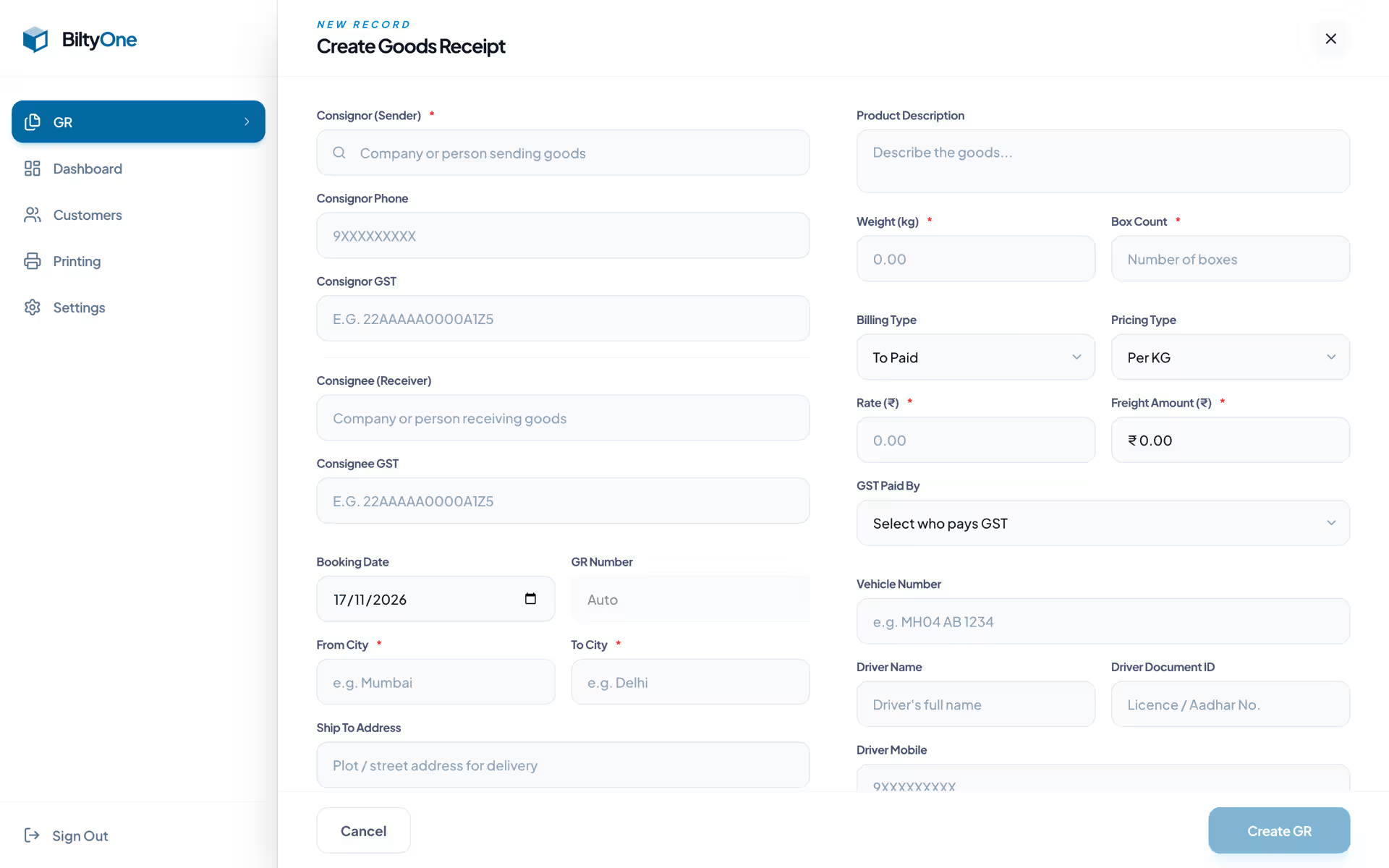
What BiltyOne does for your lorry receipts
- Automatic LR numbers. Each new LR gets the next number in your series. Numbers are never reused, even after a deletion, so your records stay audit-friendly.
- Automatic freight. Rate × quantity, priced per KM, box, kg, quintal or ton.
- Customer auto-fill. Choose a saved consignor and their details and default pricing fill in. A new consignor is saved automatically when you save the LR.
- Three-copy print. One PDF with driver, consignor and consignee copies on A5 landscape.
- Your letterhead. Company name, logo, GSTIN, PAN, phone and address on every copy, from your company profile.
- Duplicate for repeat loads. Copy an existing LR to a new one with a fresh number and today’s date.
- Search. Find any LR by its number, consignor, consignee, vehicle number or city.
- Statements. Turn a customer’s LRs for any period into a freight bill PDF.
Every field on a BiltyOne lorry receipt
| Section | Fields |
|---|---|
| Header | Your company name, logo, GSTIN, PAN, phone and address; LR number, date, from and to city |
| Parties | Consignor and consignee with GSTIN; ship-to address; door delivery |
| Goods | Description, number of packages, weight, declared value |
| Charges | Pricing type, rate, freight, billing type (paid / to pay / to be billed), payment status, GST paid by |
| Trip | Vehicle number, driver name, driver mobile, licence or ID number, status |
| Documents | Invoice number, e-way bill number |
| Insurance | Company, policy number, date, amount and risk |
| Other | Remarks; copy label (driver, consignor or consignee) |
Optional sections such as insurance, vehicle and driver, and remarks only print when you fill them in, so a simple LR stays clean. For what each field means, see what is a bilty.
Issuing many LRs a day at a booking counter? See LR software for booking offices. Still writing a bilty book? See bilty software. After the LR is saved, status, payment, search and billing are covered under GR management.
How to create a lorry receipt in BiltyOne
- Sign up free with your company details; they print on every copy.
- Open the GR tab and start a new GR (LR).
- Choose the consignor from your customers, or type a new one.
- Enter the consignee, from and to city, goods, and weight or number of boxes.
- Pick the pricing type and rate; the freight is calculated as you type.
- Add vehicle, driver, invoice and e-way bill numbers if you have them, then save and print.
Freight calculation
BiltyOne calculates freight as rate × quantity, rounded to two decimals, using the pricing type you choose:
| Pricing type | Typical use | Quantity used |
|---|---|---|
| Per KM | Full-truck trips priced by distance | Distance |
| Per box | Parcel and part-load bookings | Number of boxes |
| Per kg | Light or mixed goods | Weight in kg |
| Per quintal | Grain, produce and bulk goods | Quintals |
| Per ton | Heavy full loads | Tons |
Checks that prevent mistakes
- GSTIN fields are checked for the correct GSTIN format before you can save.
- Driver mobile numbers must have 10 digits; vehicle numbers are kept in capitals.
- From and to city are required, and freight must be above zero.
- When adding a customer, a 6-digit pincode fills in the city and state from India Post data.
LR software vs a paper LR book
| Paper LR book | BiltyOne | |
|---|---|---|
| Time per LR | Around 15 minutes | About 2 minutes |
| Copies | Carbon, often faint | Three clean printed copies |
| Numbering | By hand | Automatic, never reused |
| Freight | Calculated by hand | Automatic |
| Finding an old LR | Search the books | Instant search |
| Billing customers | Retype every LR | Statement PDF |
| Risk of loss | Rain, fire, misplacement | Stored online, with Excel backup |
Working where the internet drops? BiltyOne Desktop creates and prints LRs offline on Windows.